AI Won't Replace You... For Now(But Bad Storytelling Will) - FIX IT 🎬 | DevReel Weekly #7
Senior Developer Advocate at Asana, prev Appsmith | Keynote Speaker & Storyteller | Google Developer Expert. 16+ years building technology for startups and enterprises (IBM, Google, Microsoft, Nintendo). 60+ keynotes worldwide. I turn complex tech into content that drives real product adoption. I help companies build DevRel programs that drive measurable adoption.
Welcome to Week #7! - Let's jump right in because I hate boilerplate.
📺 Video of the Week
Let’s be clear: AI is here to stay, but it has been marketed poorly so far.
The major issue with AI adoption is the passive mindset of focusing on cutting costs, the biggest one being salaries rather than boosting productivity among existing talent.
As Developer Advocates trying to push our AI message across, we need to portray it using stories and the impact on our audience's life; the video of the week really hits it.
No hype. No fear-mongering. Just AI applied to reality. This is what a Developer Advocate must do: Show how the product they advocate impacts lives.
This is probably the best portrayal of AI yet:
Puts humans at the center
Shows AI as a tool, not a threat
Tells a story that matters
Makes tech feel human
🎯 Tip of the Week: Create Curiosity Gaps
Want to create better videos? Stop explaining everything upfront.
It kills engagement.
Instead:
1. Show something impressive
2. Create a gap ("How? Let me show you")
3. Fill it step by step
Example:
"This API call takes 0.1 seconds to process tons of data.
It used to take 3 seconds!
But before I show how I fixed it, let's see why it was slow (that your queries probably also have it wrong).
Developers stay to solve the puzzle.
🛠️ Resource of the Week: Speed Editor
Last week, I got the DaVinci Resolve Speed Editor. Not just another keyboard. A video editing-specific tool.
I'm cutting 30-minute edits in 15, especially multicam shots! Not because I'm better, but because the tool is.
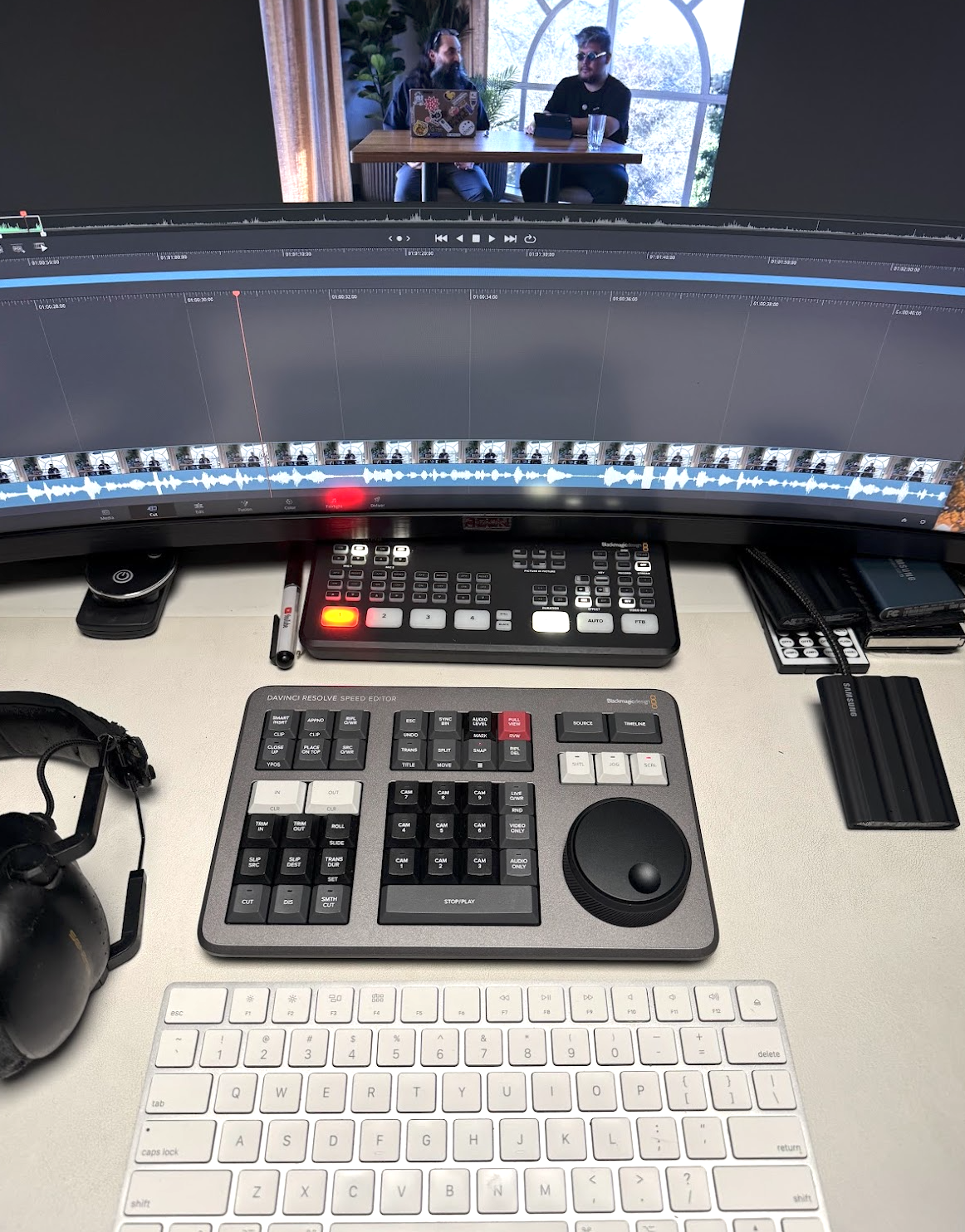
The real kicker? It includes DaVinci Resolve Studio license. Do the math:
Studio license alone: $295
Speed Editor with license: $380
That's a $85 keyboard that transforms your editing workflow—a no-brainer! Next week, I'll bring a tutorial on how to get the most out of this keyboard, so in the meantime, you should get it!
3 things before you go:
1. If you enjoy the newsletter, forward it to a friend and ask them to subscribe.
2. If you find it useful please send me a message, I always love reading those.
3. If you want to learn about something I haven’t talked about yet, let me know.
Thank you. Kevin